Click here to download the excel tool: Fertilizer Cost Calculator
By Sophie Lee and Ramandeep Sharma
What this tool does
This fertilizer cost calculator helps translate fertilizer prices and application rates into cost and nutrient metrics for field crop production. It calculates nutrient amounts based on fertilizer type and application rate, and estimates the cost of each nutrient (N, P, and K). The tool is designed to support more informed and efficient nutrient management decisions.
This tool does:
- Estimate fertilizer cost per acre
- Compare the costs of different fertilizer programs
- Calculate how much N, P, and K are being applied
- Estimate the cost of each nutrient supplied by the fertilizer program
- Support budgeting and nutrient management decisions
Why use this tool
Fertilizer programs often involve multiple products with different nutrient contents, prices, and application rates. This tool helps organize that information in one place and converts it into measures that are easier to compare across products and programs. It can be used to:
Compare fertilizer programs
- Users can enter different fertilizer products or rates and compare how total cost and nutrient costs change across programs.
Evaluate nutrient costs
- By estimating the cost of N, P, and K separately, the tool helps identify which nutrient is most expensive in the current fertilizer program.
Support fertilizer budgeting
- The calculator can be used when preparing crop budgets or updating expected input costs before the season.
Improve decision-making under changing fertilizer prices
- Because fertilizer prices can change quickly, this tool can help producers and advisors recalculate costs as prices shift and adjust plans accordingly.
How to use the tool
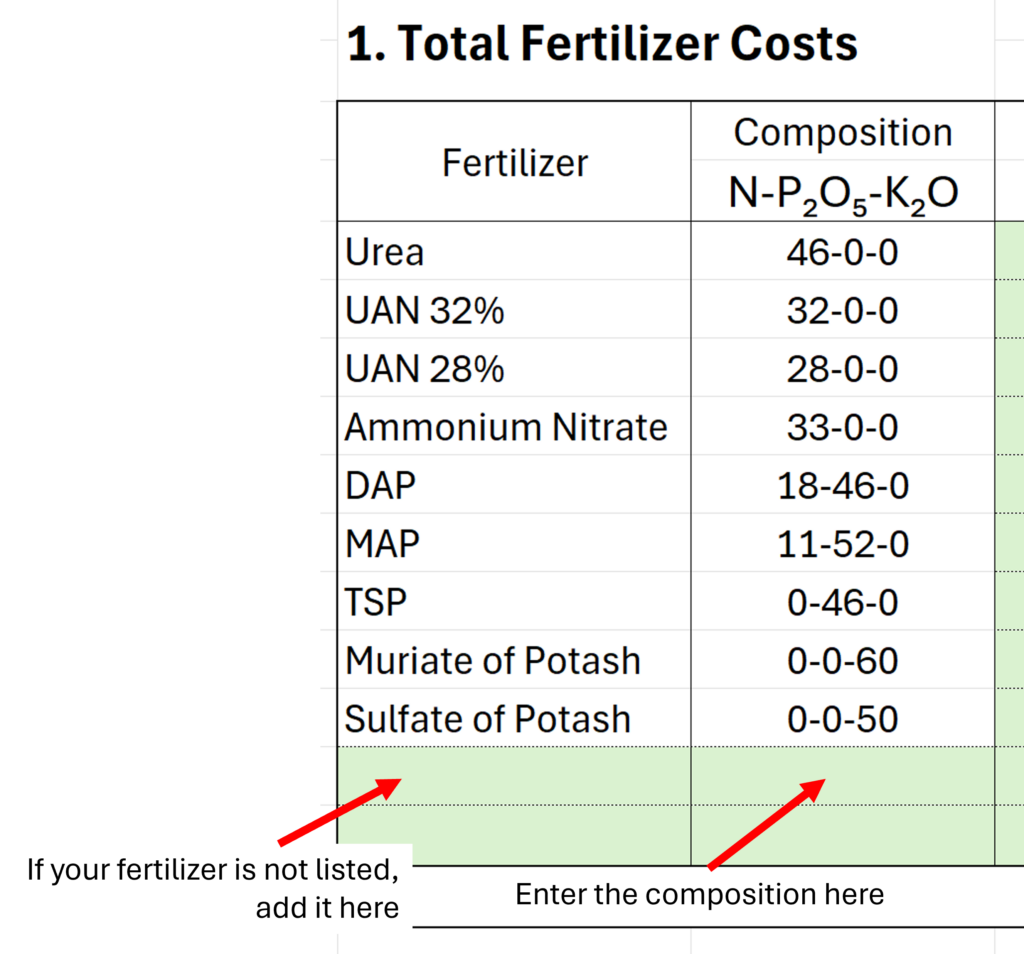
Step 1. Enter the fertilizer type and composition
- Start by listing each fertilizer product used in your program.
- If the fertilizer you use is not already listed, add it in the “Fertilizer” column. Then enter the fertilizer composition in the format “N-P₂O₅-K₂O”. This tells the calculator the percentage of nitrogen, phosphate, and potash in the product.
- For example, a fertilizer labeled 46-0-0 contains 46% nitrogen, 0% phosphate, and 0% potash.
- If the fertilizer composition is not entered in the correct format, the nutrient applied column in Table 2 will display “Incorrect Composition.”
Step 2. Enter the fertilizer price
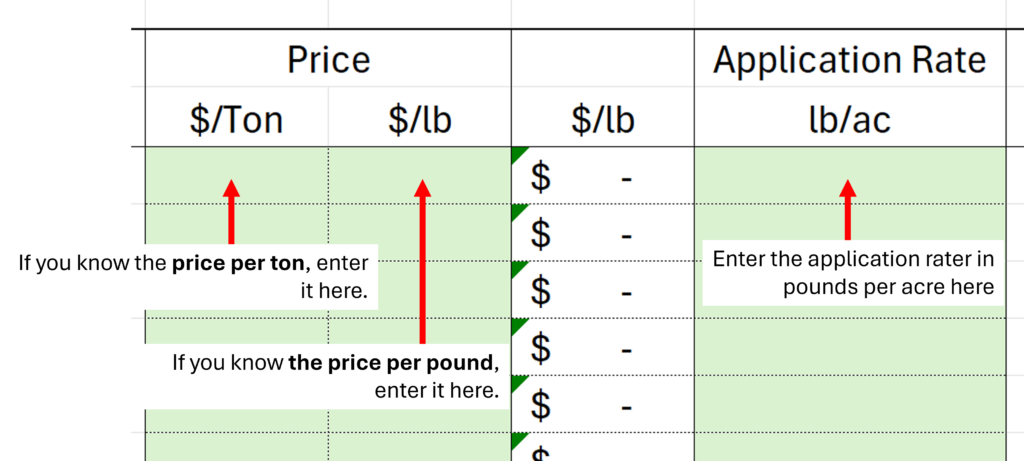
- Enter the price for each fertilizer product. Prices can be entered in either $/Ton or $/lb.
- If you enter the price in $/Ton, the tool will automatically convert it to $/lb.
Step 3. Enter the application rate
- Enter the application rate for each fertilizer product in pounds per acre.
- The application rate should reflect how much of that fertilizer is applied per acre.
Step 4. Review the fertilizer cost and nutrient cost
- Once the fertilizer type, price, and application rate are entered, the calculator will automatically estimate the cost of each fertilizer product.
- At the bottom of the table, the tool sums the cost of all fertilizer products to calculate the total fertilizer cost.
- The tool also calculates the cost of each nutrient in Table 2.
- This table shows the estimated cost associated with N, P, and K supplied by the fertilizer products entered in the calculator.
- Note that “Nutrient Costs” are useful for comparing fertilizers as sources of a specific nutrient. However, it does not reflect the full value of fertilizer when it provides multiple nutrients.